Navigating design within an integration
Waded through technical constraints to deliver highly requested functionality for our e-signing feature.
Role
Product design
Research
01
Project Context
Alto is a B2B CRM software for estate agents. During an 8-week project, I was the sole designer adding new functionality to our e-signing integration. I worked closely with a product manager and two developers to research, design, and integrate these new capabilities.
02
Project Challenge
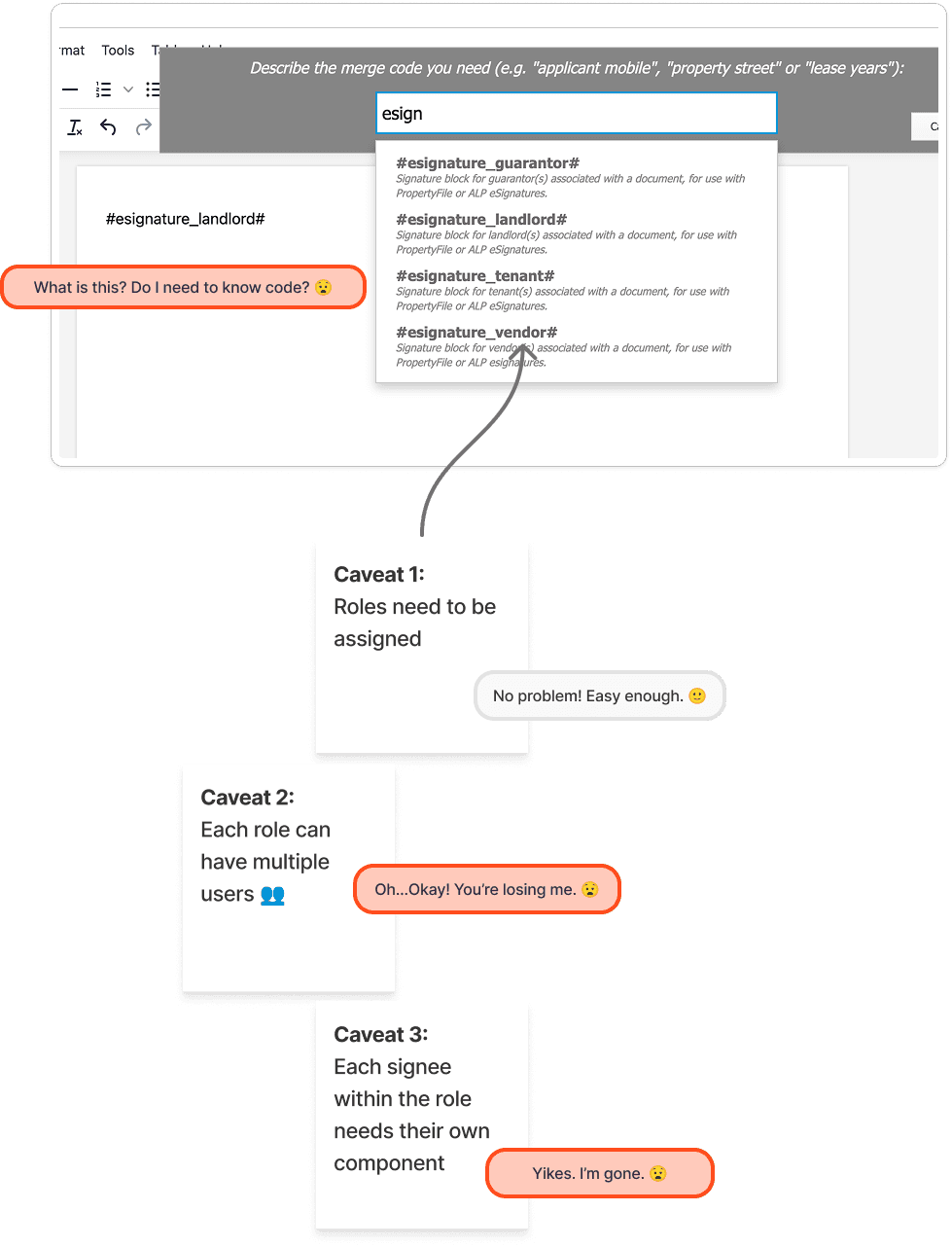
Our existing e-signing functionality was limited and not entirely user-friendly. Agents had to use code to insert signatures into documents, an obviously foreign and frustrating process. Another challenge was allowing agents to assign fields, such as checkboxes or text boxes, to multiple roles like tenants or landlords without overcomplicating the workflow.
03
Design Approach
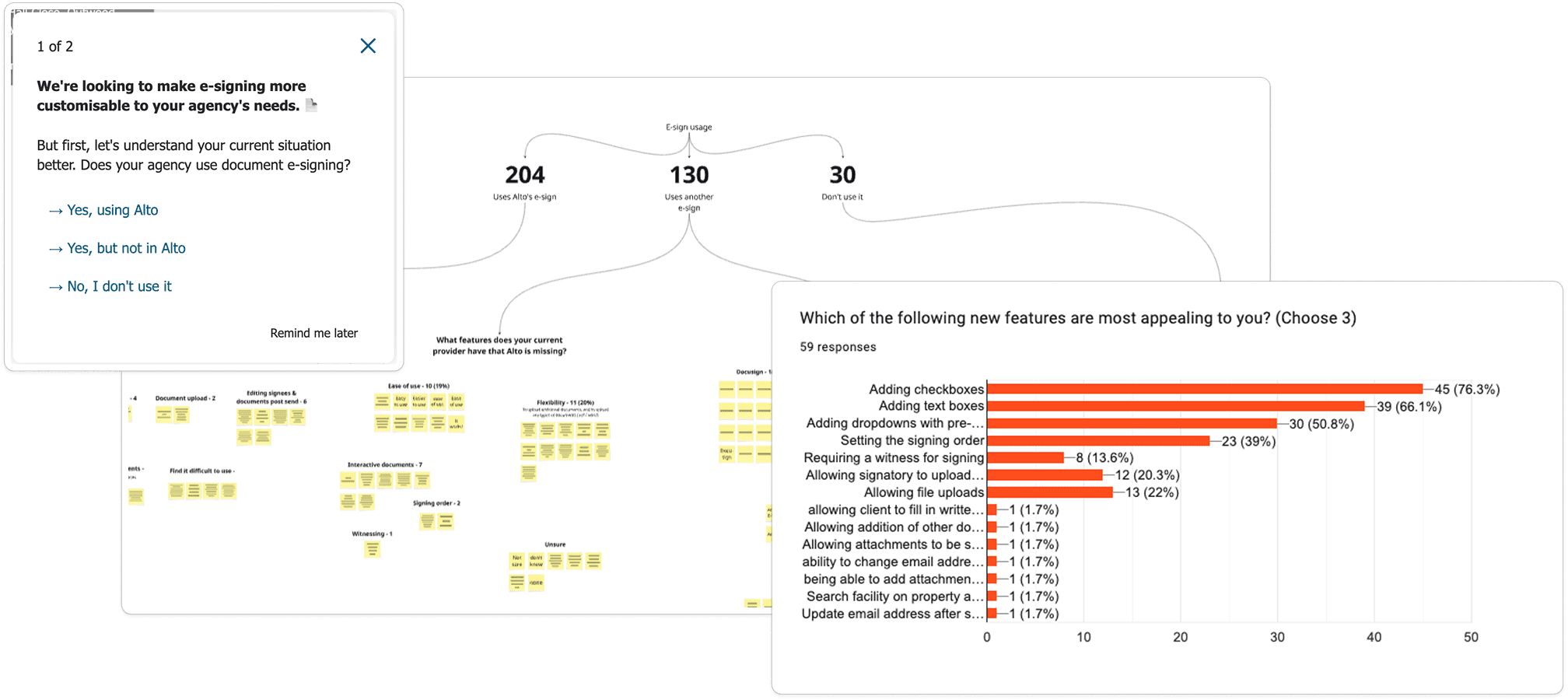
I surveyed our users to understand which functionality agents valued most, receiving about 250 responses that helped us prioritise checkboxes, text boxes, and file attachments. I then zoomed out, and mapped their full user flow beyond the current page, from agents setting up templates to consumers signing the documents. These approaches informed my design and discoveries, which the PM was able to use to pitch to stakeholders and secure buy-in for the project.
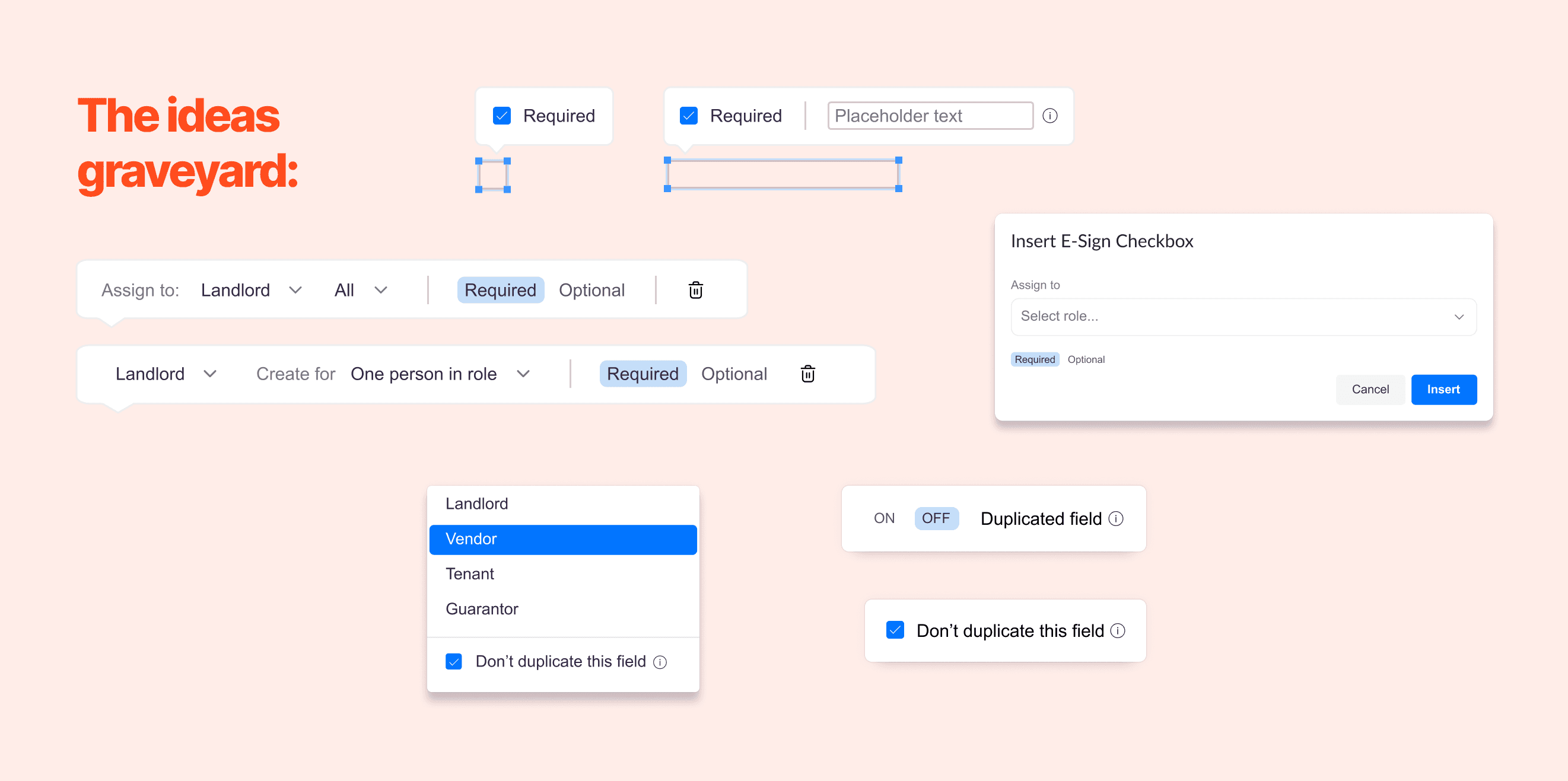
I held regular pairing sessions with the engineers to understand our constraints. As we explored the limitations of our partner, I had to revise my initial designs. In one example, I designed a toolbar based on our partner’s existing components, but quickly learned that they lacked basic elements like checkboxes. I workshopped some new designs with the devs to get back in-line with what was feasible.
04
Design Solution
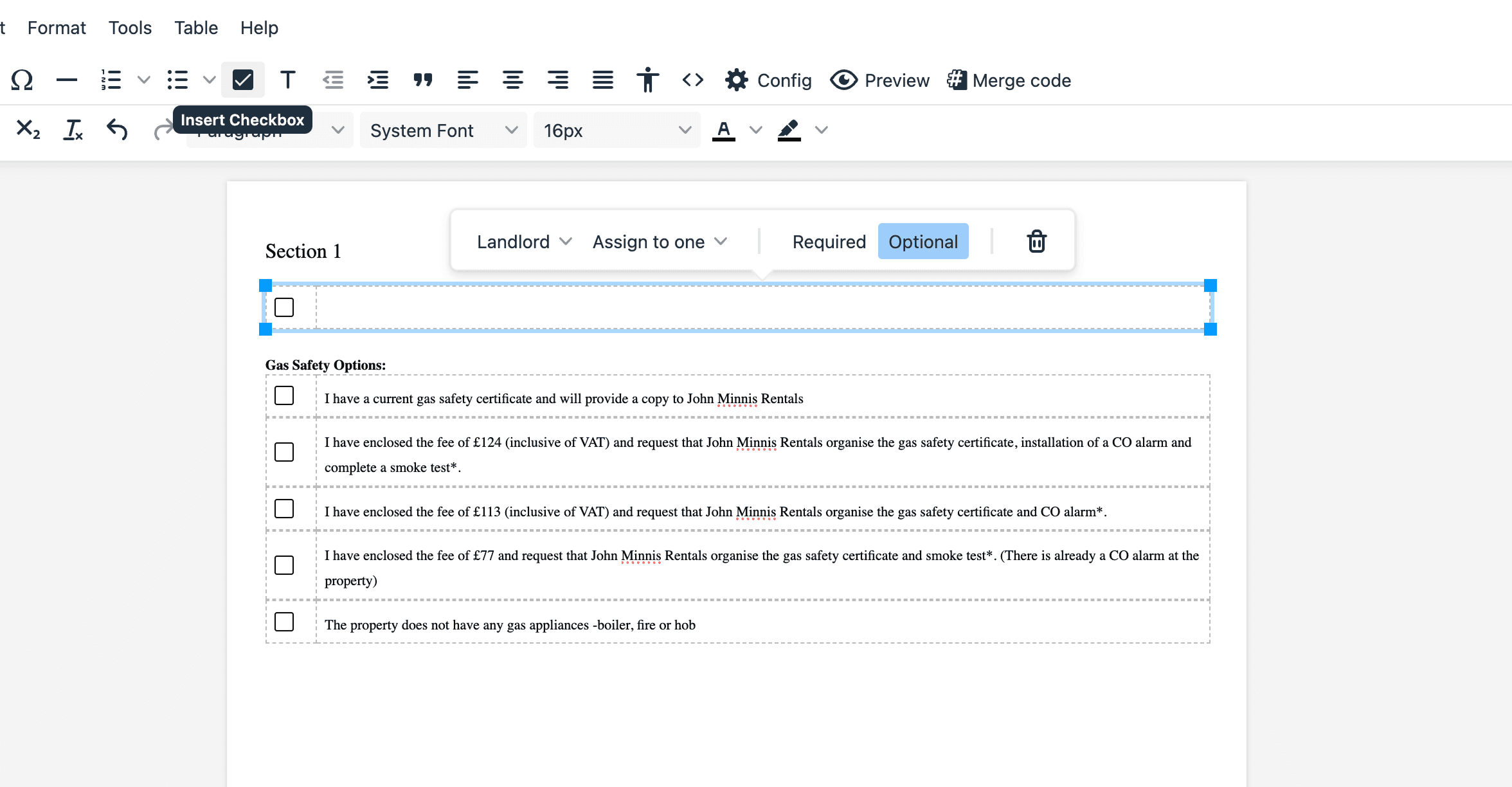
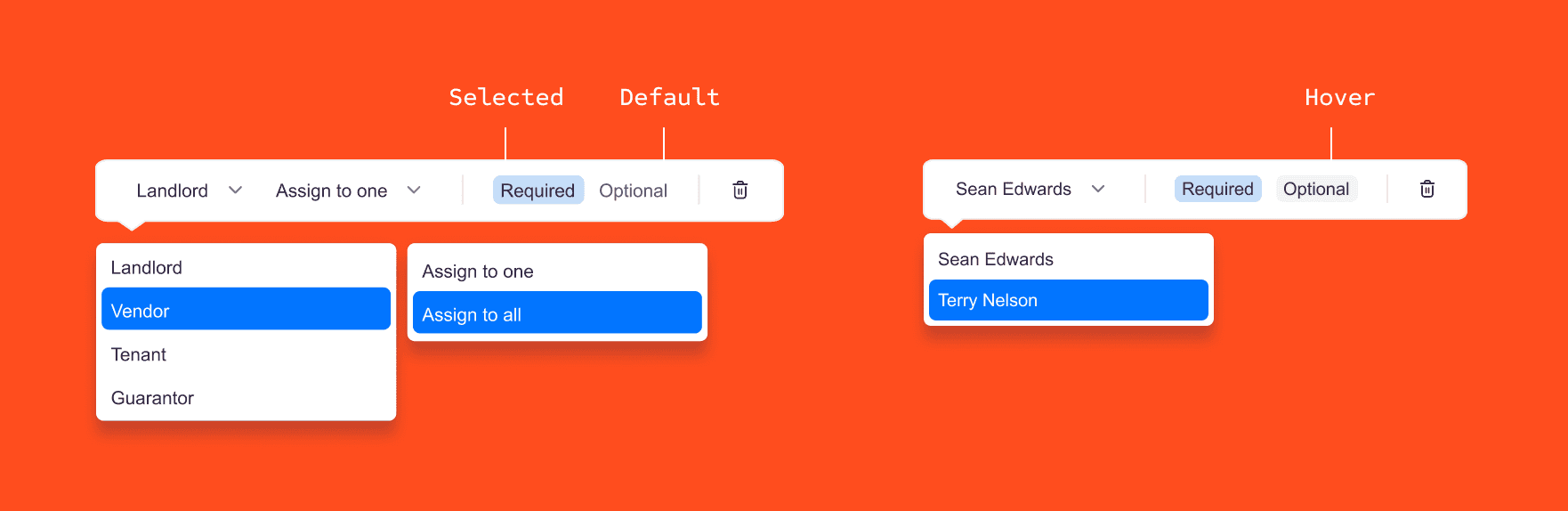
After several iterations, I landed on solutions that felt sleek and user-friendly. For the toolbar, I replaced checkboxes with a tag component, allowing users to mark components as required or optional without relying on elements that TinyMCE’s legacy editor couldn’t support.
Assigning user roles was particularly tricky - they needed to be set for each added component or the signatures wouldn’t generate properly. The flow I ended up with prompted users to assign roles as they added them into the form so they couldn't be missed.
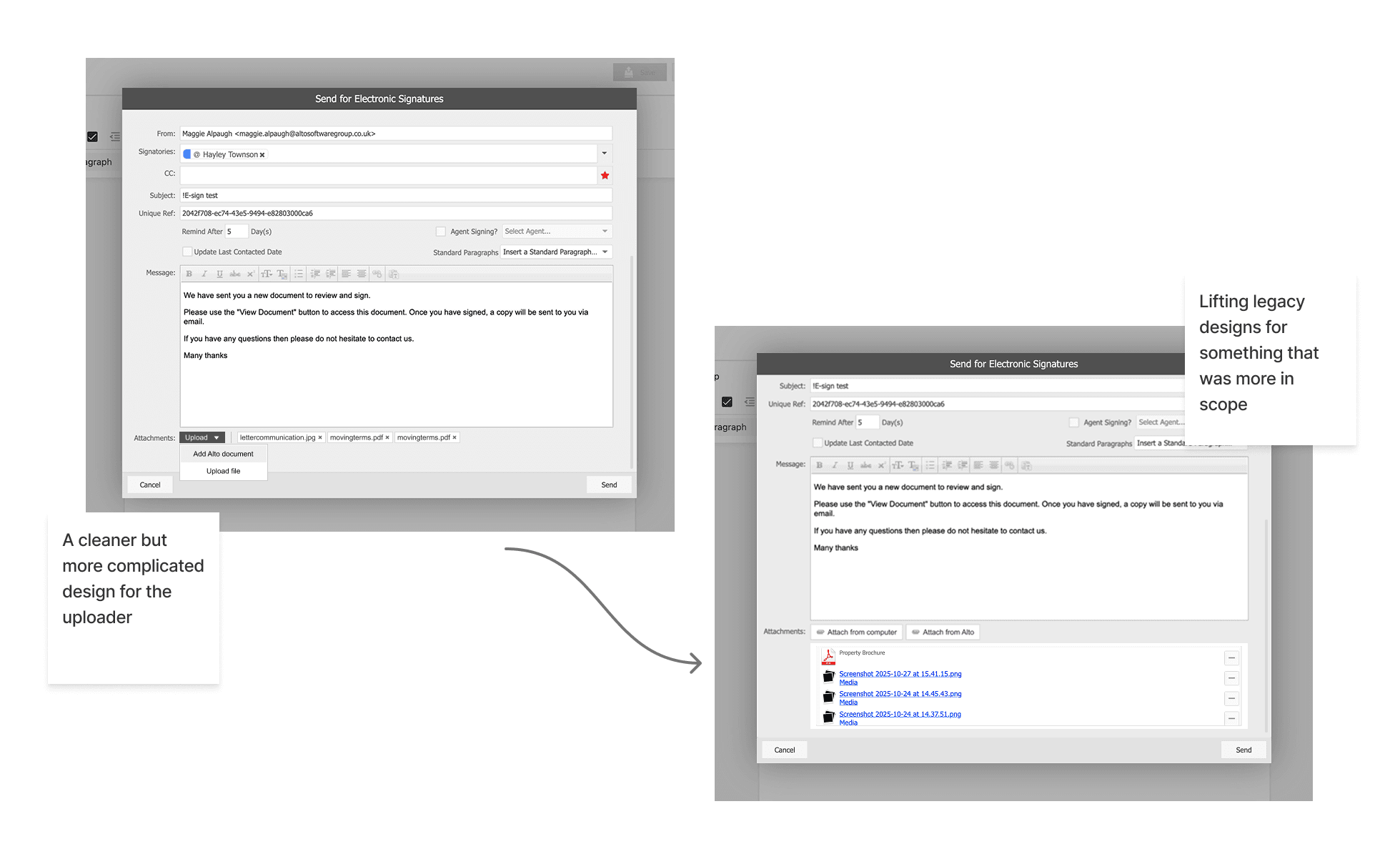
For the document uploader, we reused an existing legacy component that was already familiar to users. I added small enhancements like clear copy around file type requirements.
05
Results
The feature has shipped and is currently rolling out to over 20,000 users. Early feedback has been positive, with power users able to recreate documents easily in the new builder. The PM and I are especially monitoring adoption metrics (% of users sending documents with the new features), rage clicks, and support tickets.
Upon reflection, most of our limitations didn’t come from our internal systems, but from TinyMCE. Collaborating with a developer that had worked with this platform prior to my initial designs would have saved rounds of feedback. We were also under time-pressure, and on one specific component (the document uploader), a developer ran out of time: it could have been helpful for me to design a simplified back-up version during discovery.